

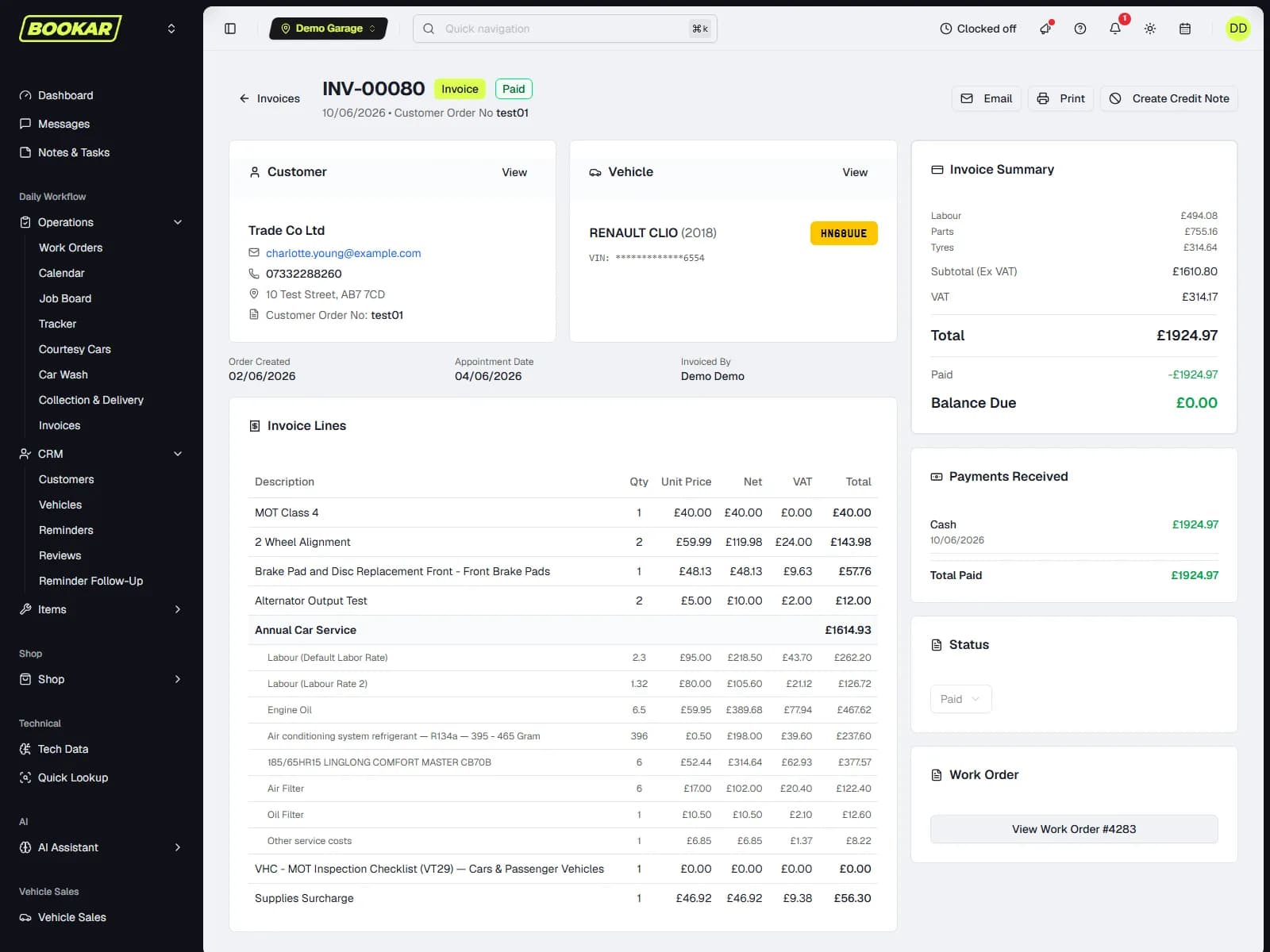
The invoice is the work order, priced
Labour, parts, tyres and VAT come off the job — nothing is typed twice. Take the money at the counter, by a link sent by text, in instalments, or on account; chase what is owed from a debtors list with the statement on screen; and let Xero or QuickBooks pick it all up, or export it for Sage.






Printed the way your garage prints it
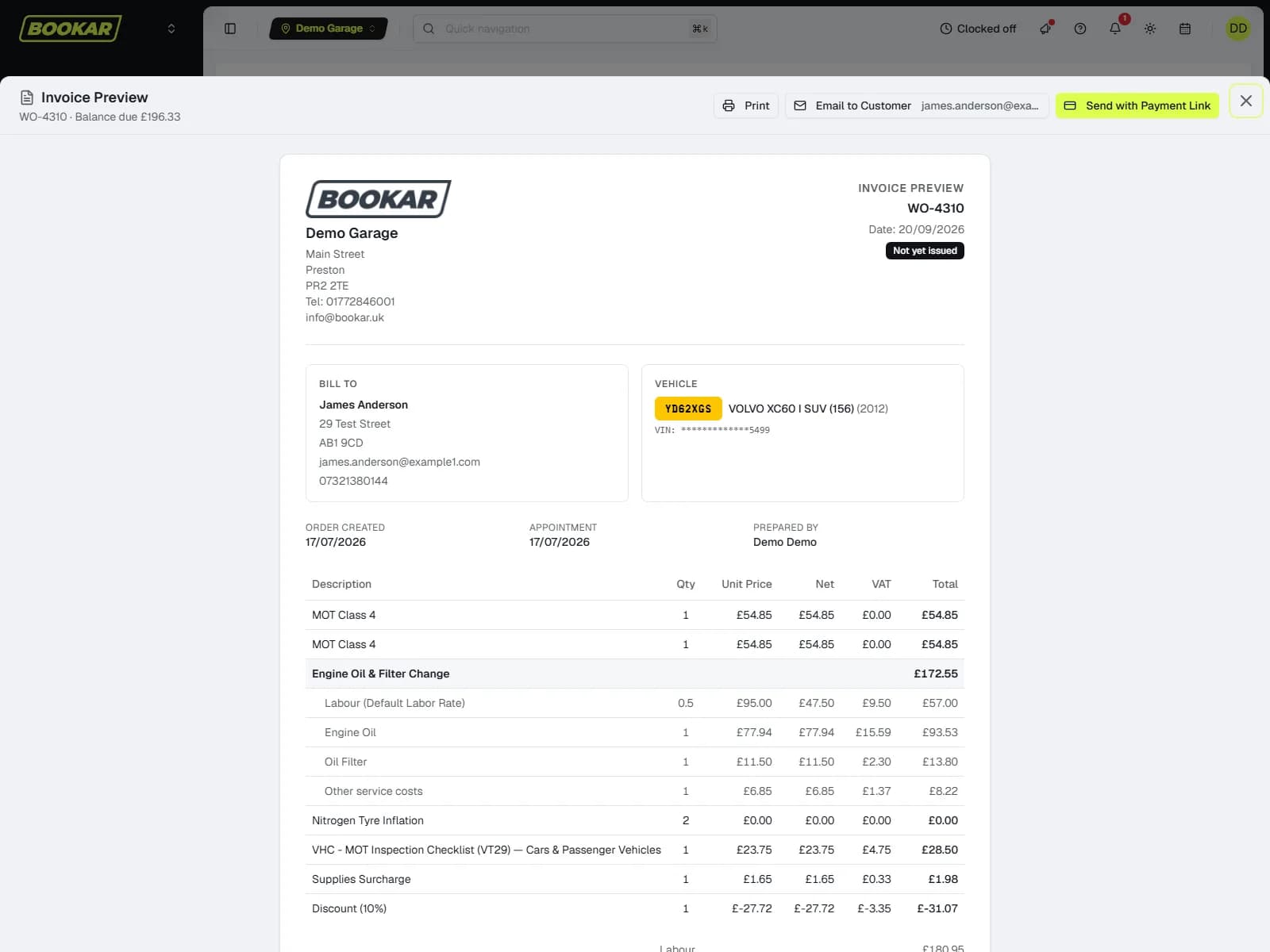
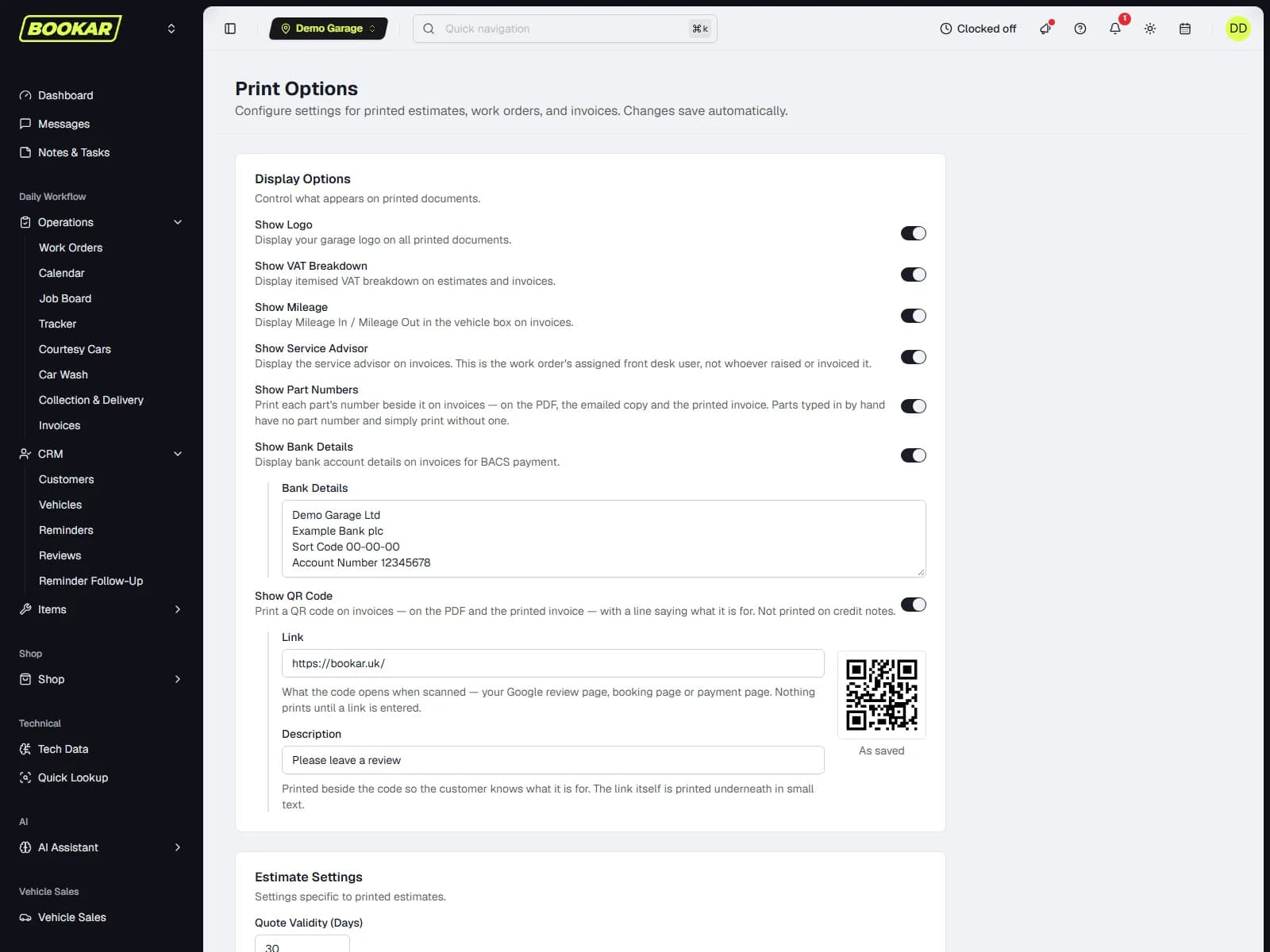
What goes on the invoice is set once, per garage: part numbers or not, the labour description, the mileage, the service advisor, a QR code to pay. A job can be billed as one line. The preview is the invoice — same layout, same notes — so what the customer sees is what you checked.
From the work order
Labour, parts, tyres and VAT from the job. A deposit already taken is shown. The customer's order number goes on it. Your own number format and prefix.
Preview, then send
The invoice preview matches the real invoice. The email carries the PDF. Notes are printed per note, by a tick.
Discounts that are authorised
An order discount as a % or a £ amount, scoped to all, labour, parts or tyres — and any discount needs authorising by someone allowed to.
A QR code to pay
Print it on the invoice and the customer pays from the paper.
Every way a customer pays a garage
Each one is a payment record on the work order with the date the customer actually paid, so the till and the debtors list agree.
At the counter
Cash, card on your own machine, or a Dojo terminal BOOKAR drives itself — so it holds the auth code and the receipt, and a Dojo payment is refundable to the card from the work order.
By a link, by text
A payment link on Stripe or Dojo — whichever the garage chose — sent by SMS or email. The customer pays on their phone; the invoice is marked paid and the work order catches up.
Spread the cost
Klarna Pay in 3 and Clearpay Pay in 4 on the payment link through your Stripe connection. The customer pays in instalments; the garage is paid in full on day one.
On account
A credit account that is business-wide, a credit limit warned about while the work order is still being built, and an override that needs the right permission or a manager's code.
- Deposits and part payments, shown on the invoice
- Refunds — including back to the card on Dojo
- Credit notes: reverse and redo, or return the part to stock
- A full payment says whether it finishes the job
- Payments take the provider the garage chose, per location
- Website bookings on Stripe and counter payments on Dojo at the same time
Debtors, supplier invoices, VAT — one section
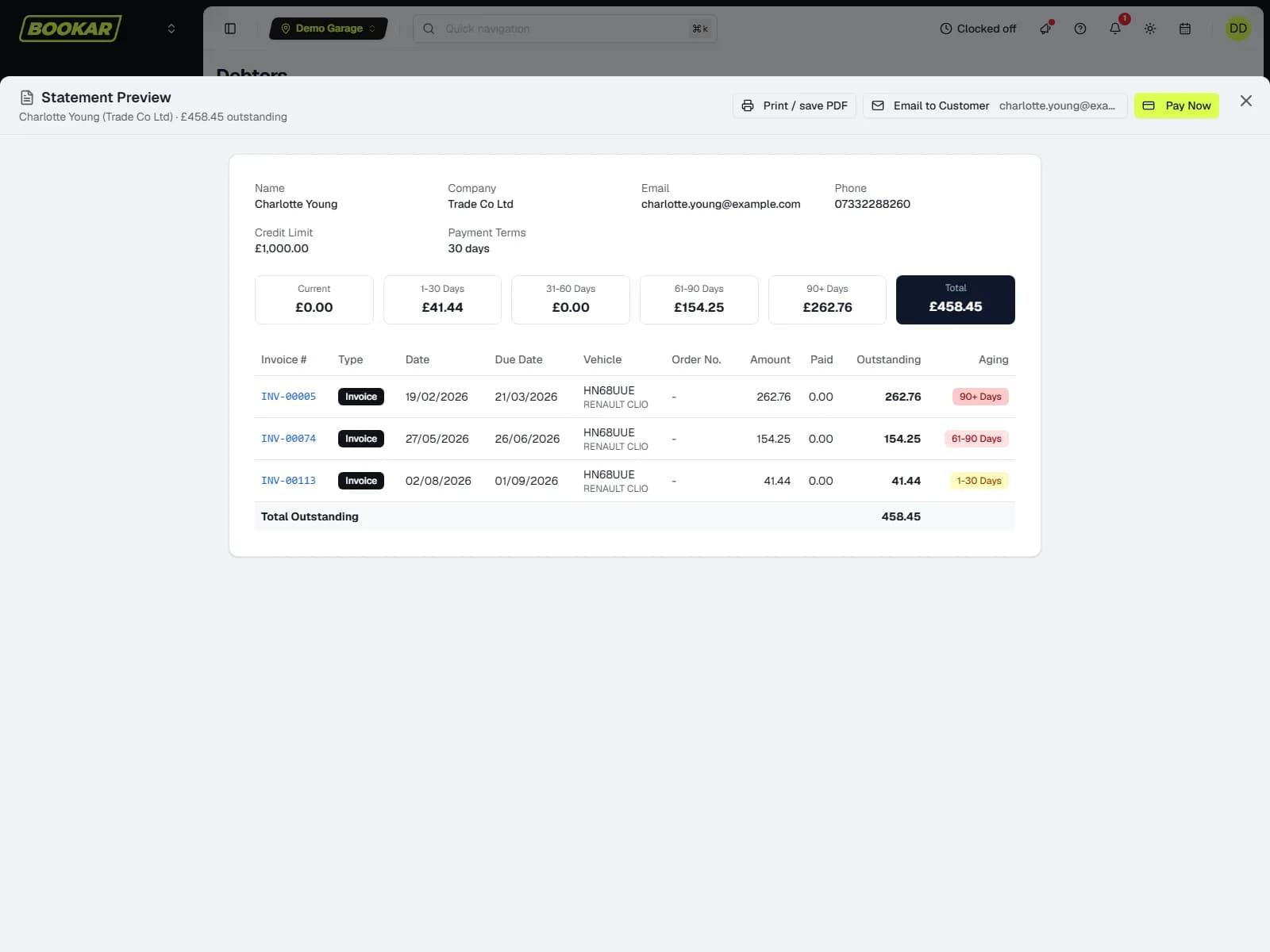
An Accounts section of its own: an aged debtors list that can be searched, with the customer's statement previewed on screen, emailed or paid from the row; one supplier-invoice ledger for every bill logged or scanned; VAT analysis on the sales report.
Aged debtors
Current, 30, 60, 90 days per customer, with the statement, the email and the payment on the same row. A credited invoice reads credited and drops off.
Supplier invoices
Logged against the PO or scanned from the document; filtered by supplier, location and paid or unpaid; marked paid in bulk; owed per supplier.
End of day
Every invoice and credit note for the day with the payments that settled it, VAT by rate, and money through the till by method — printable, exportable.
Xero, QuickBooks or Sage
One connection, every location. Invoices, credit notes and payments post across to Xero or QuickBooks Online, and the sync can be paused without disconnecting. Sage 50 and Sage Business Cloud get export files mapped to your nominal codes.
Get paid before the car leaves
Book a demo and we will invoice a job, send the link and watch the work order settle — with your card provider, not ours.
Join Our Newsletter
Subscribe to receive the latest news, updates and software insights, directly to your inbox.