

The numbers a workshop actually runs on
Hours available against hours sold. What the inspections found and how much of it you sold. Sales this month against the same month last year. All of it from the work orders, timers and payments your team already records — no spreadsheet, no export to build it.
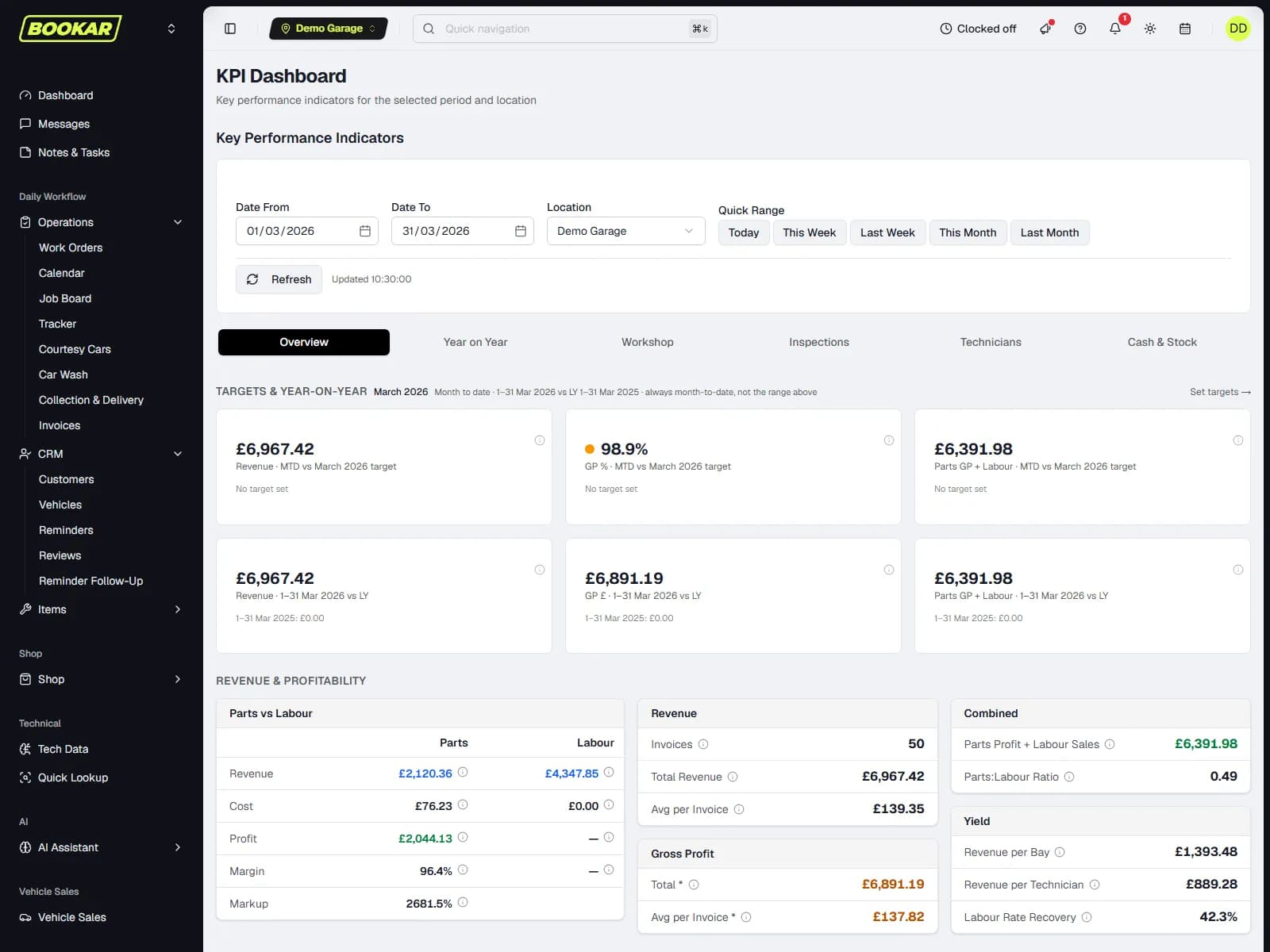
Labour recovery as a number, not a feeling
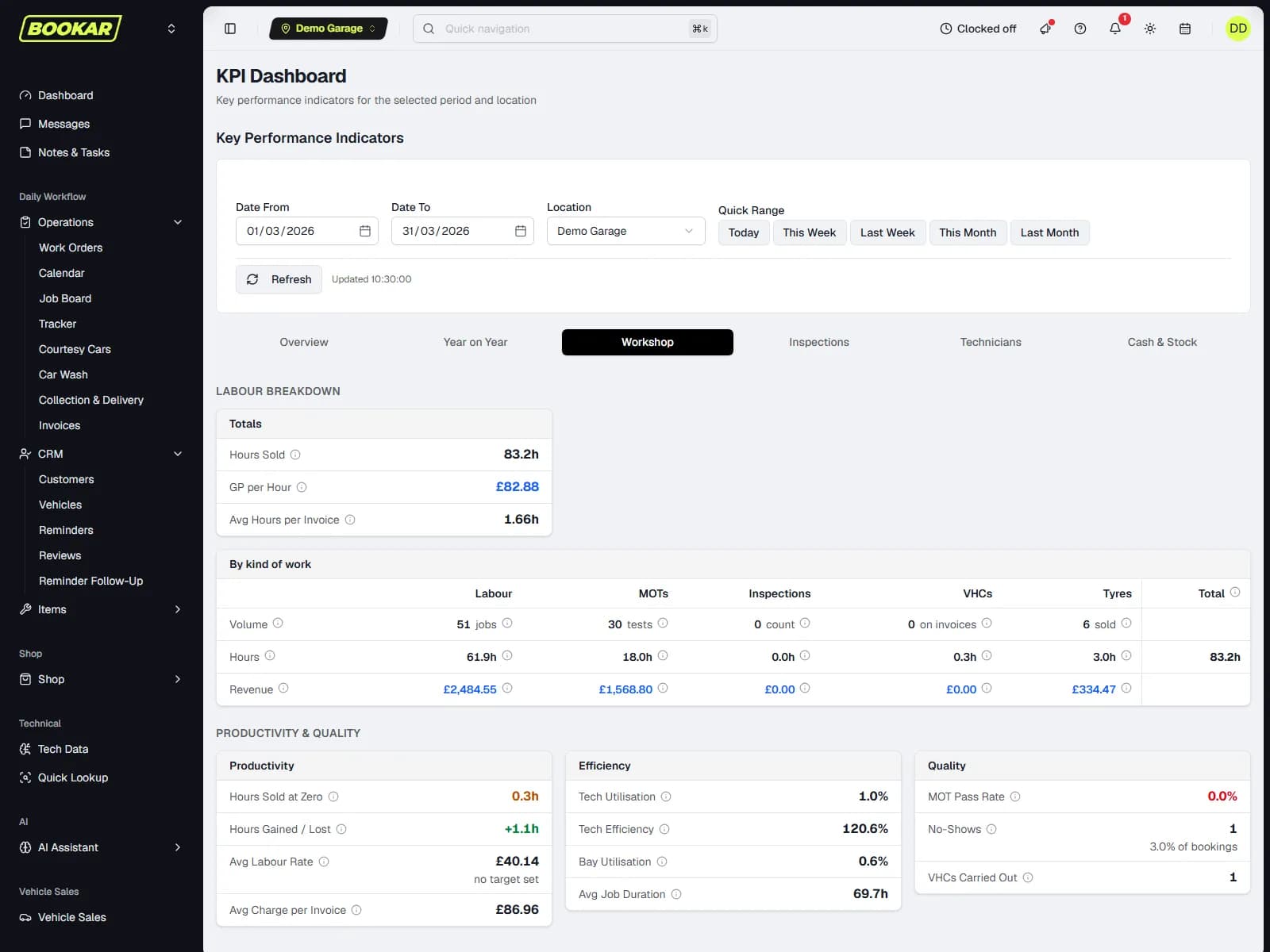
Hours are counted for every kind of work the workshop sells — labour, MOT, inspections, VHCs and tyres — so the total is a total. Against the hours staff were on site, that is labour recovery; per technician, it is utilisation and productivity, with the bonus threshold you set.
Hours sold, by kind of work
Quantity, hours and revenue in five columns. MOT and tyre fitting count as bay time without dragging the average labour rate down.
The inspection funnel
Identified, authorised, declined, awaiting an answer — and the work that was staged and never presented to anybody.
By advisor, by range
Filter to one service advisor; quick ranges for this week, this month, last month; a target labour rate on the chart.
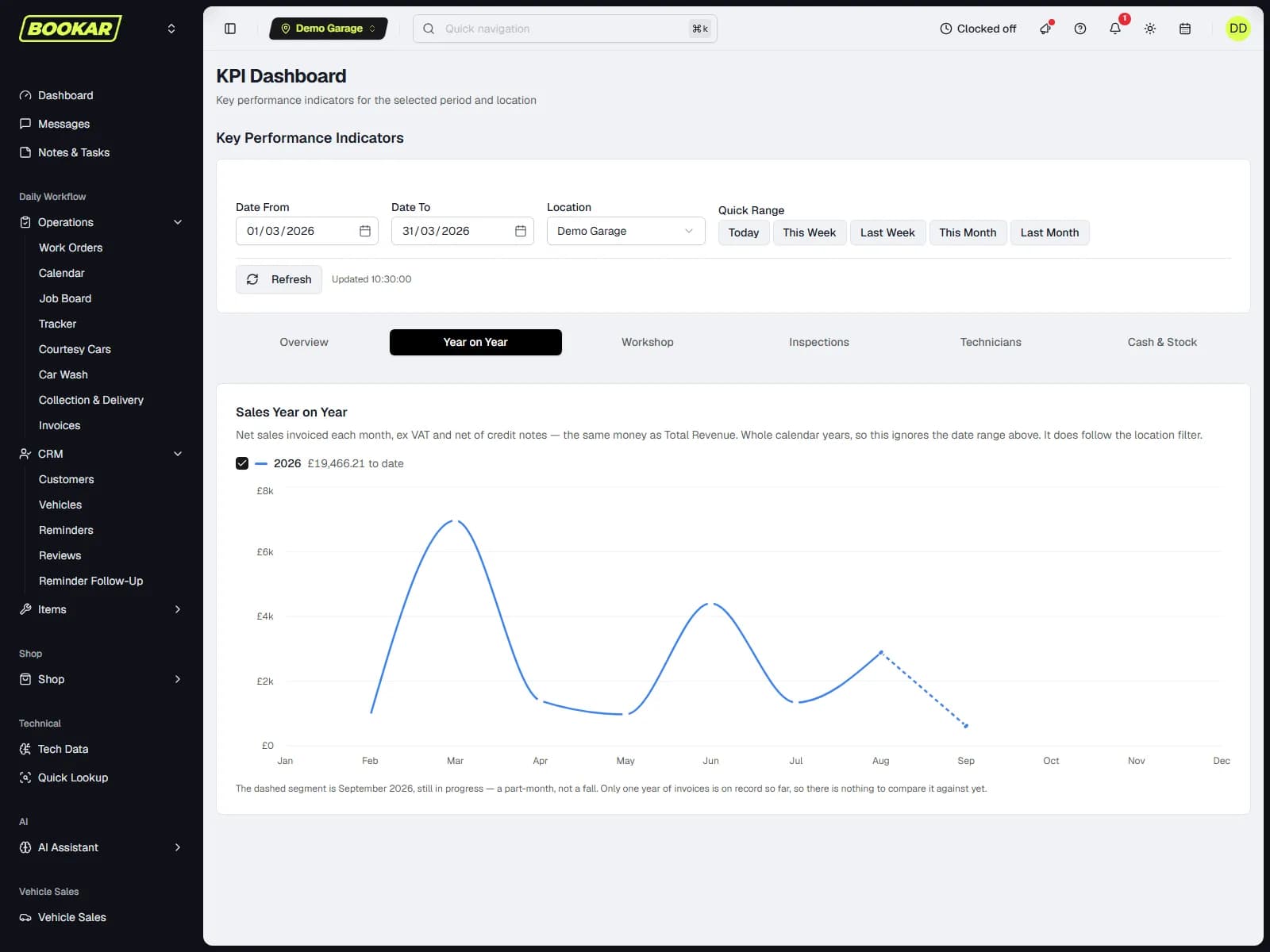
Sales year on year
Net sales by calendar month, one line per year, any year switched off.
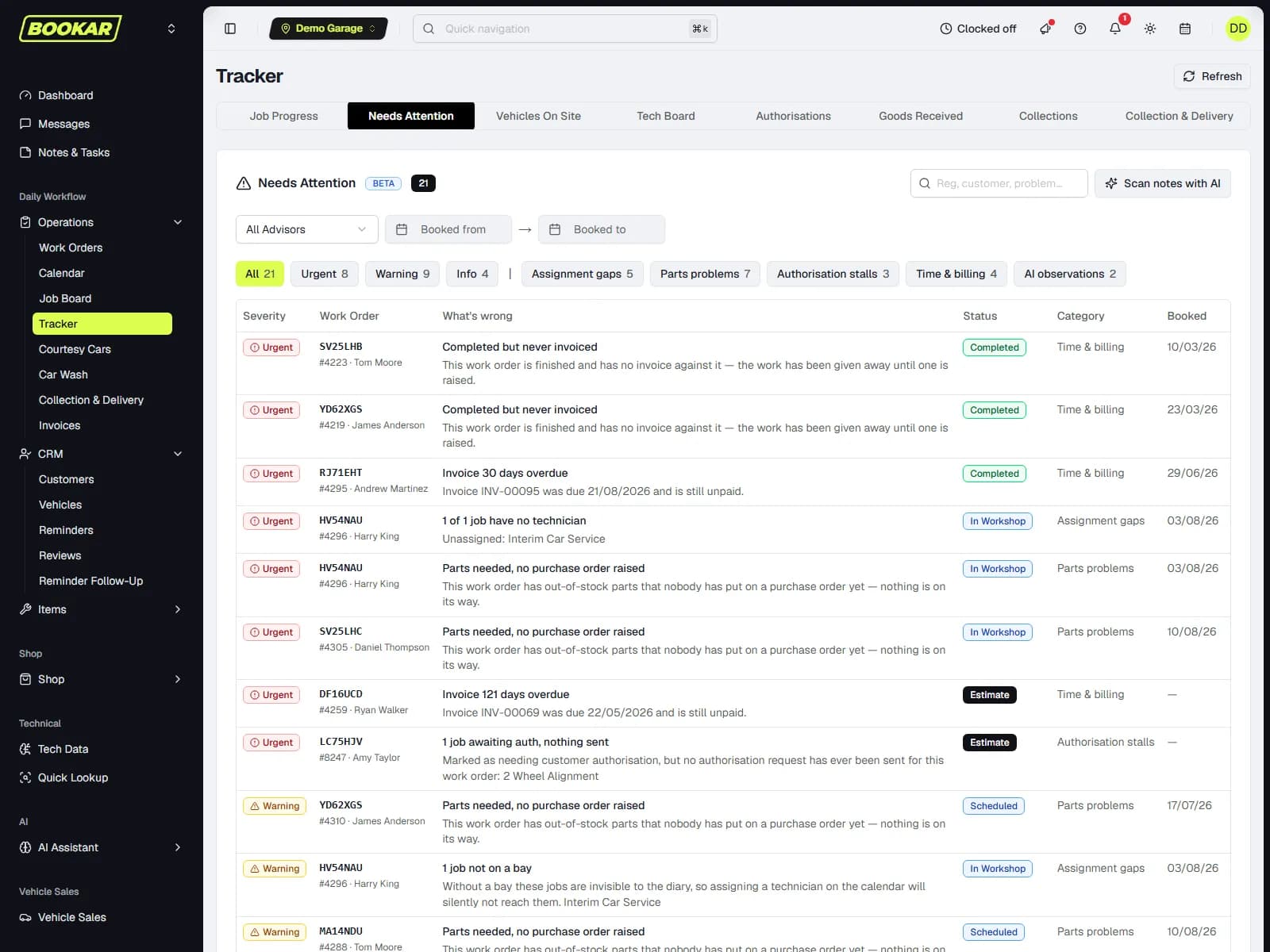
The Tracker says what is wrong right now
Reports look back. The Tracker looks at the live work orders and lists what needs attention, worst first — before the customer rings. Twelve checks run on every page load; the free-text parts of the job get an on-demand summary when you ask for one.
- A job with no technician, no bay, or an on-site car with no key tag
- Out-of-stock parts with no purchase order raised
- An authorisation request unanswered for two days, or work started on a job the customer declined
- Finished but not collected; completed but never invoiced; an invoice past its due date — at any age
Every report, per location or across the business
Each one prints, and exports to CSV or Excel over the whole filtered set — not the page on screen.
Sales
Revenue by labour, parts, tyres and MOT; VAT analysis by rate; year on year by month.
Payments & end of day
Money through the till by method, outstanding balances, and the day book with every document and the payments that settled it.
Operations
Vehicles on site, work in progress, MOTs carried out with pass and fail, bookings by source.
Productivity & staff hours
Hours sold against hours attended per technician; a daily breakdown per employee and a payroll export.
Inventory
Stock value, movements, low stock per branch, supplier spend, returns and credits.
Customer value
Spend and visits per customer and per fleet, and who has not been back.
Marketing
MOTs due month by month and how many are not booked yet; how many customers you can actually reach, and why the rest cannot be; NPS.
Discount authorisation
Every discount applied, who applied it and who authorised it.
Management
Monthly targets per location for sales, margin, and parts profit plus labour sales — with progress against each.
What the morning looks like
Vehicles on site, today's bookings, new online bookings since anyone last looked, new reviews, and the shortcuts your business uses — the same for every location.
New online bookings
A banner that is dated, clickable and shared across staff, so a booking is not missed because it was seen on one screen.
New reviews
The reviews that have landed since the tile was last cleared.
The sheet the accountant asked for
Every invoice and credit note posted in the day, split labour, parts, external and other, with the payments that settled each one and the balance remaining; VAT by rate; money through the till by method; supplier invoices posted. Landscape print, CSV and Excel.
Any range up to a year
A day for the till, a month for the accountant, a quarter for the VAT return.
Exports that match the screen
The export is the same rows, the same filters, the same totals.
See your own labour recovery
Bring a month's invoices to the demo and we will show you what the dashboard would have said about it.
Join Our Newsletter
Subscribe to receive the latest news, updates and software insights, directly to your inbox.