

Who can do what, and who was in
Technicians see their jobs. Advisors run the desk. Managers see everything — and every permission in between is a switch on the person, not a role you have to live with. With the Staff Clocking add-on, staff clock on and off in the app, and the hours go to payroll and to the KPI dashboard.
Down to the button
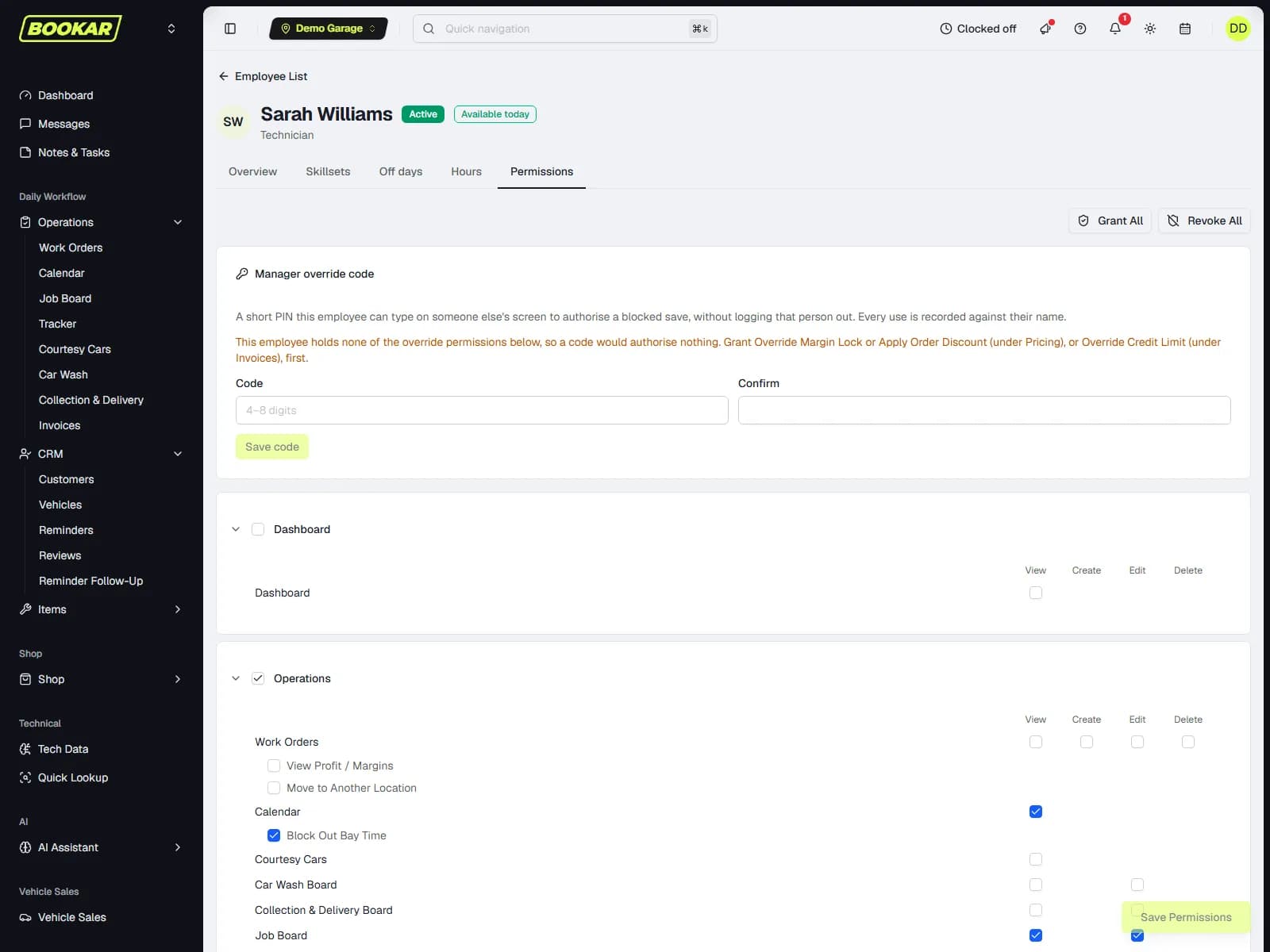
Start from a role — technician, service advisor, auto electrician, parts, manager — then switch any permission on or off for the person. Adding a job, adding a VHC and adding a diagnostic are three separate permissions. So are sending a text, sending an authorisation request, recording a payment, issuing a credit note, applying a discount and overriding a credit limit.
Roles as a starting point
A new employee gets the role's permissions; changing the person does not change the role.
Money and pricing locked
A parts margin lock, a labour rate floor per customer group, and a credit limit — each overridable only by someone allowed to.
Reports gated
Profit and margins on a work order, VAT analysis, staff hours for other people — each its own permission.
Borrow a manager's authority for one save
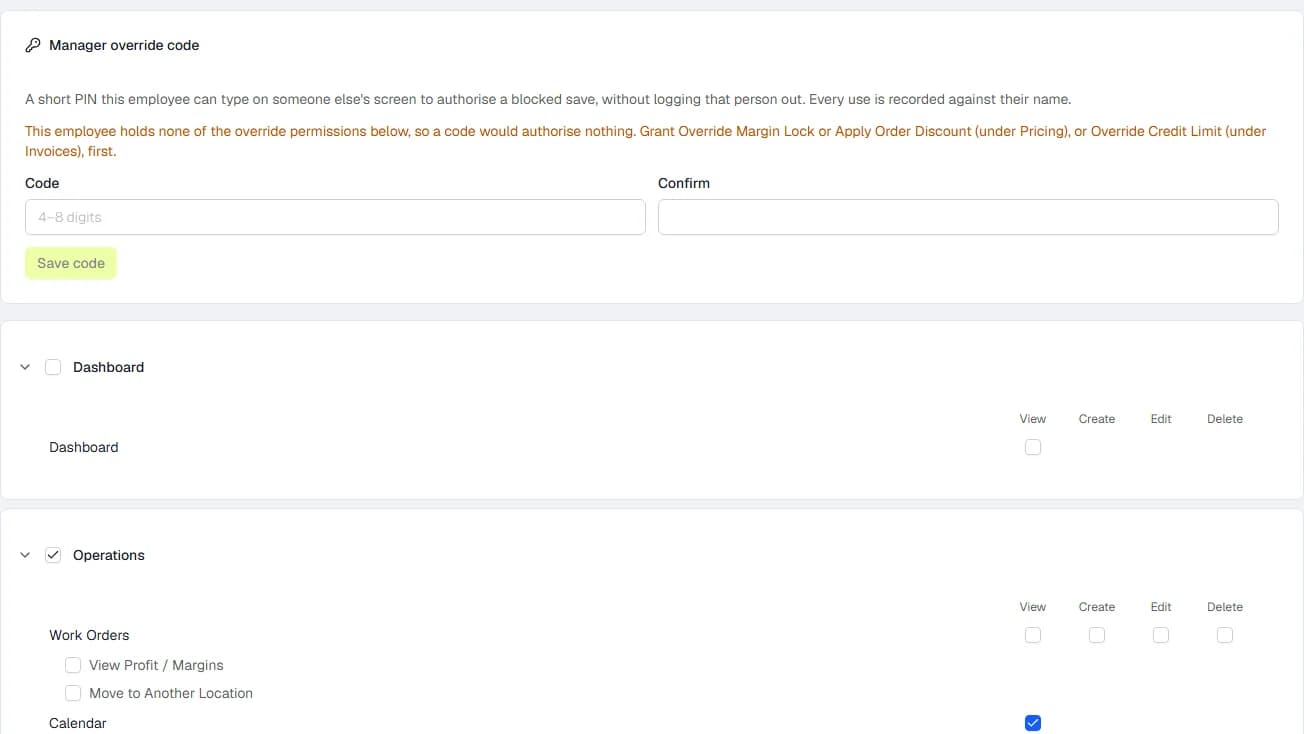
A front-desk user hits a price lock with a customer standing there and the manager is in the workshop. An override code — a short PIN on the manager's record — authorises that one save. The audit entry names whose code it was, and the code can only unlock what its owner is allowed to unlock.
- No shared logins, no permanent permission grants
- Revoke the manager's permission and the code stops working the same second
- Works for the parts margin lock, the labour rate lock, credit limits and discounts
Clock on. Break. Clock off. Export to payroll.
A control in the app header, on any device, and a My Hours page for each person. Supervisors see who is on site, record a shift on someone's behalf, and correct one with the reason logged. Optional: clock everyone off at closing time. Staff Clocking is an add-on; permissions, override codes and job timers are in the GMS plan.
One open shift per person
Enforced in the database, so two devices or a double-tap cannot create a duplicate.
Breaks
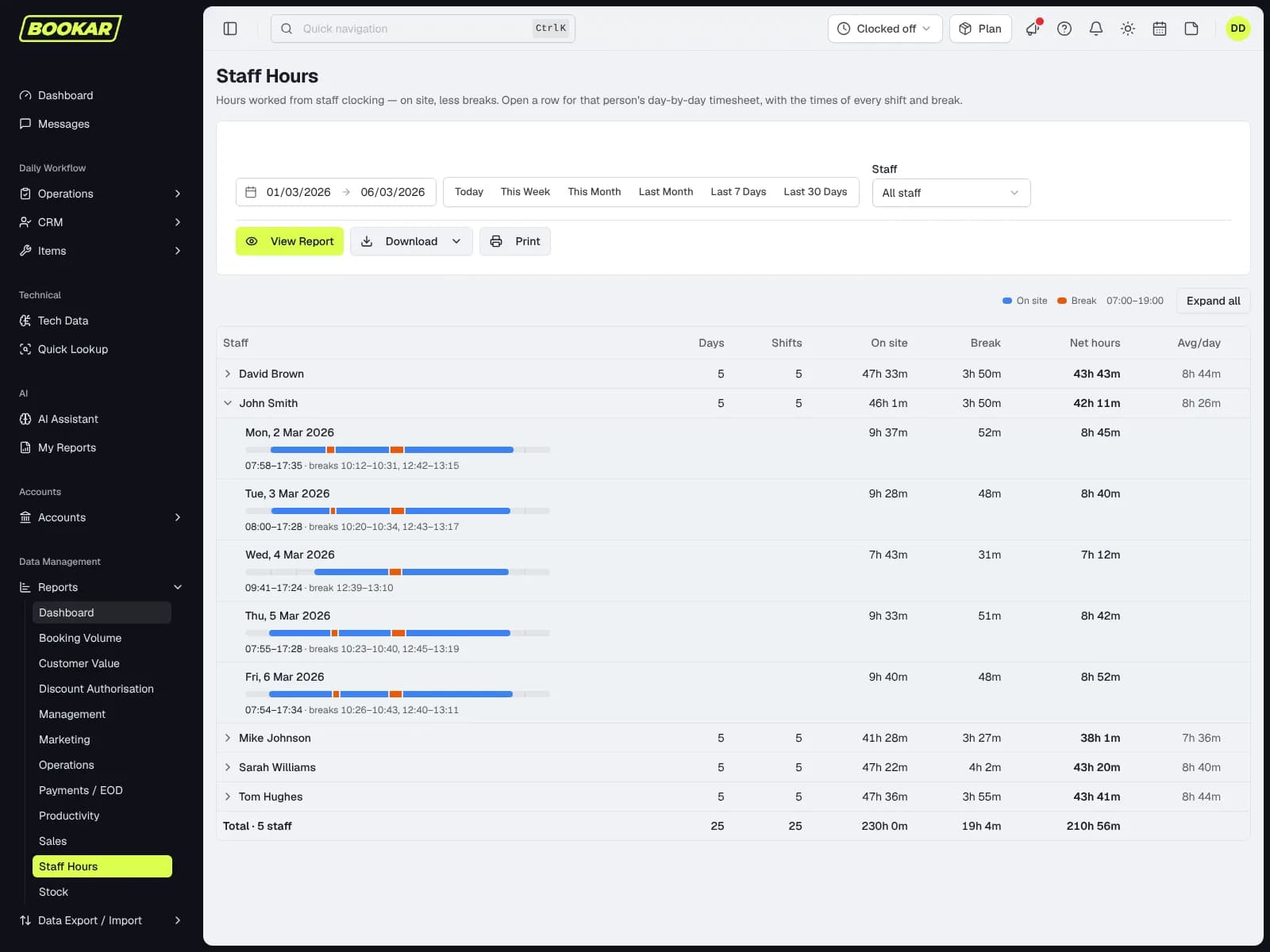
Recorded on the shift; attended hours are net of them.
A payroll file
Staff Hours by day per employee, and a download shaped for payroll.
It lights up the KPI dashboard
Utilisation and productivity per technician switch from "pending" to real figures the day clocking goes on.
One technician, one car, one clock
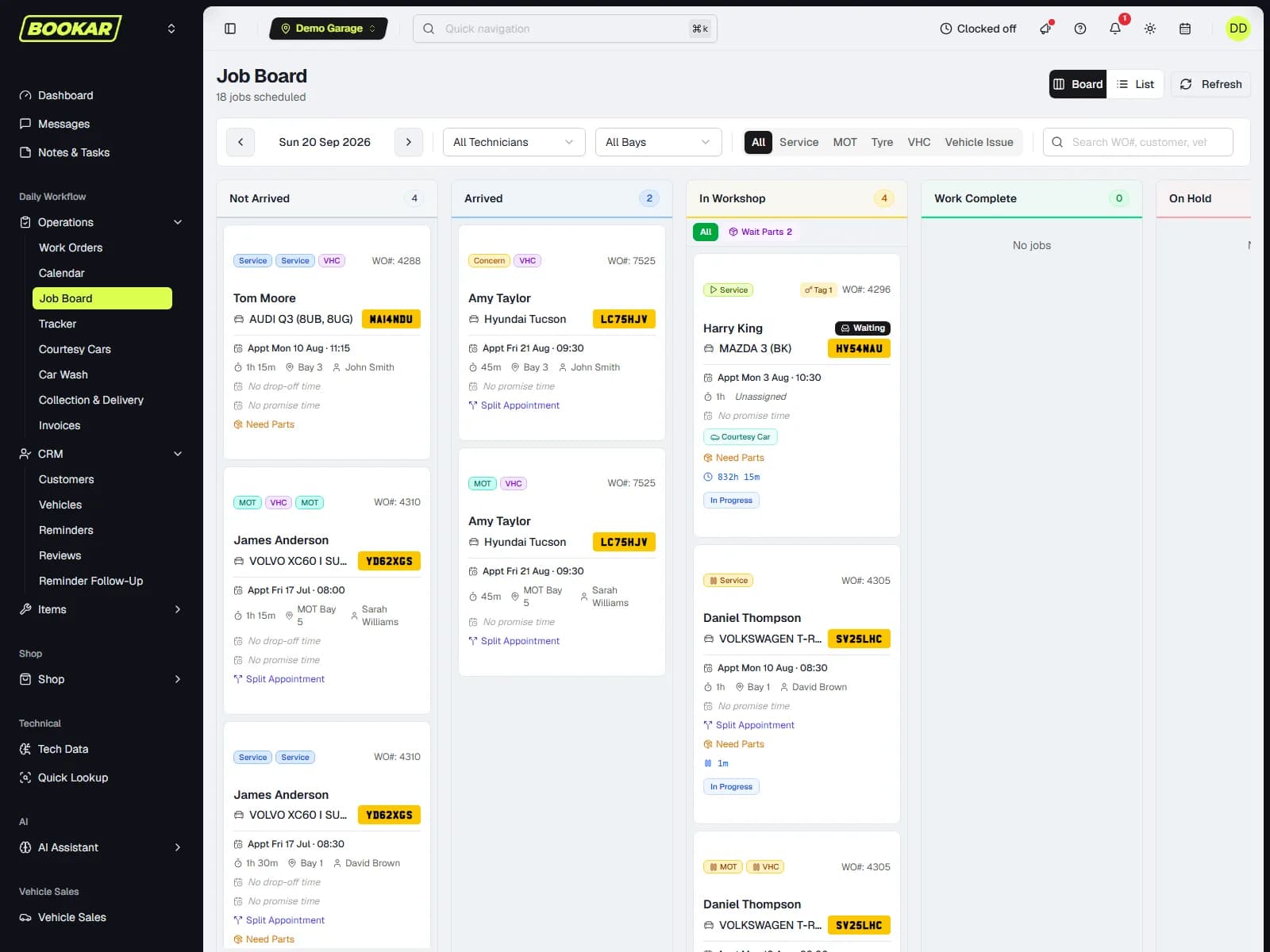
Starting a job pauses whatever the technician was on, with a warning. A job that moves to another technician takes its clocked time with it rather than resetting. The timer is the same on the phone in the pocket and the tablet on the bench, and it keeps counting through a page reload.
- Auto-pause when a second job is started
- Reassign keeps the clocked time
- Deleting a job with time on it warns first
- Clocked hours feed hours sold and technician productivity
The things HR asks about
Kept on the person, visible to the people who should see them.
More than one location
An employee can work at several sites; the diary and the board at each one know it.
Time off, including part days
A morning off is a morning off, not a whole day. UK bank holidays close the business without anyone entering them.
Online bookings dealt to an advisor
Each new booking lands with a named front-desk person; notifications go to the order's own people.
Messages
Staff chat, per work order or per group — you see the chats you are in, and nothing adds people in bulk.
Notes and tasks
A private notepad and a personal task list per person, on the same board.
Attendance history
An Hours tab on the employee record with every shift, break and correction.
Set the permissions once
Book a demo and bring a list of who does what in your workshop. We will set it up on the call.
Join Our Newsletter
Subscribe to receive the latest news, updates and software insights, directly to your inbox.