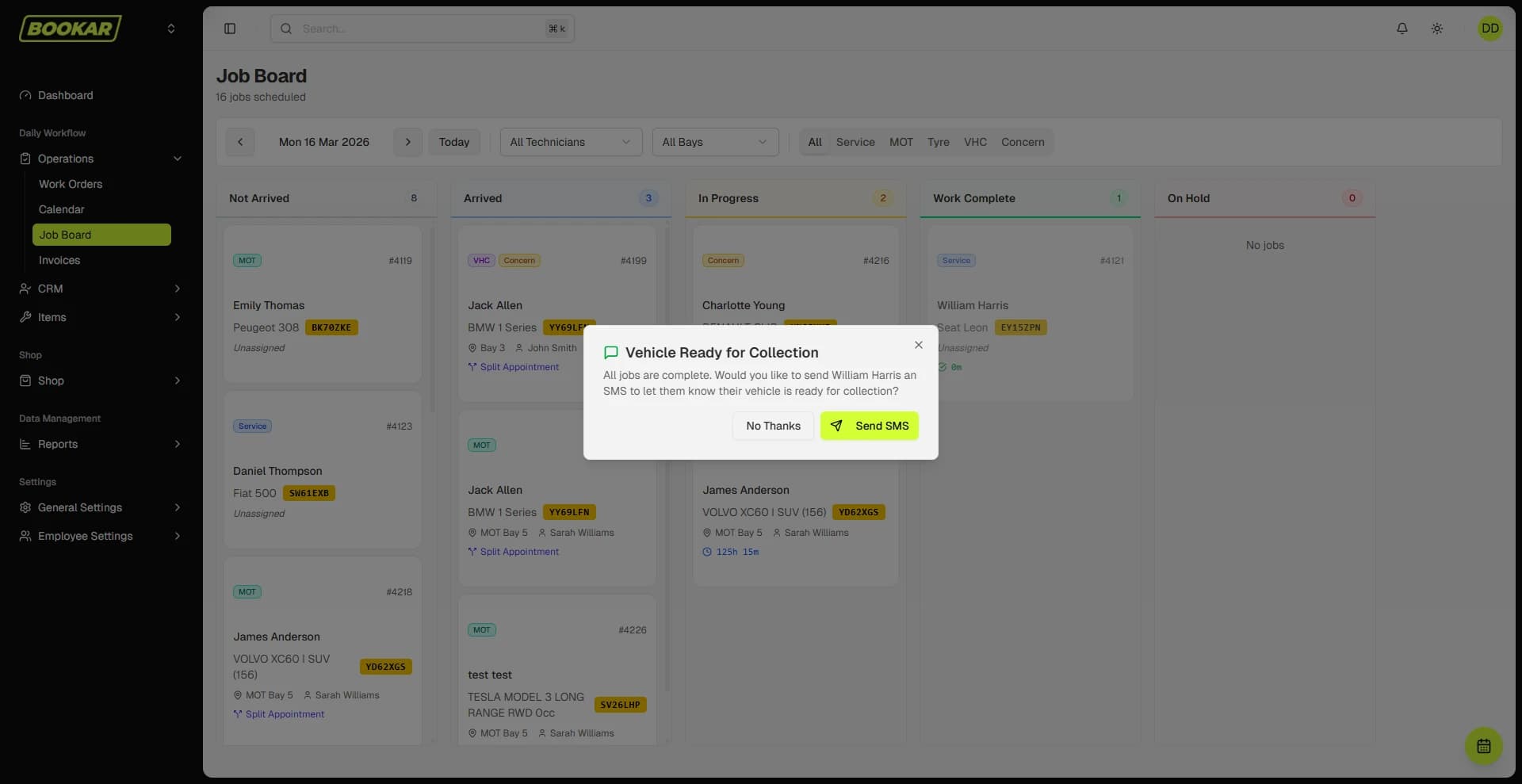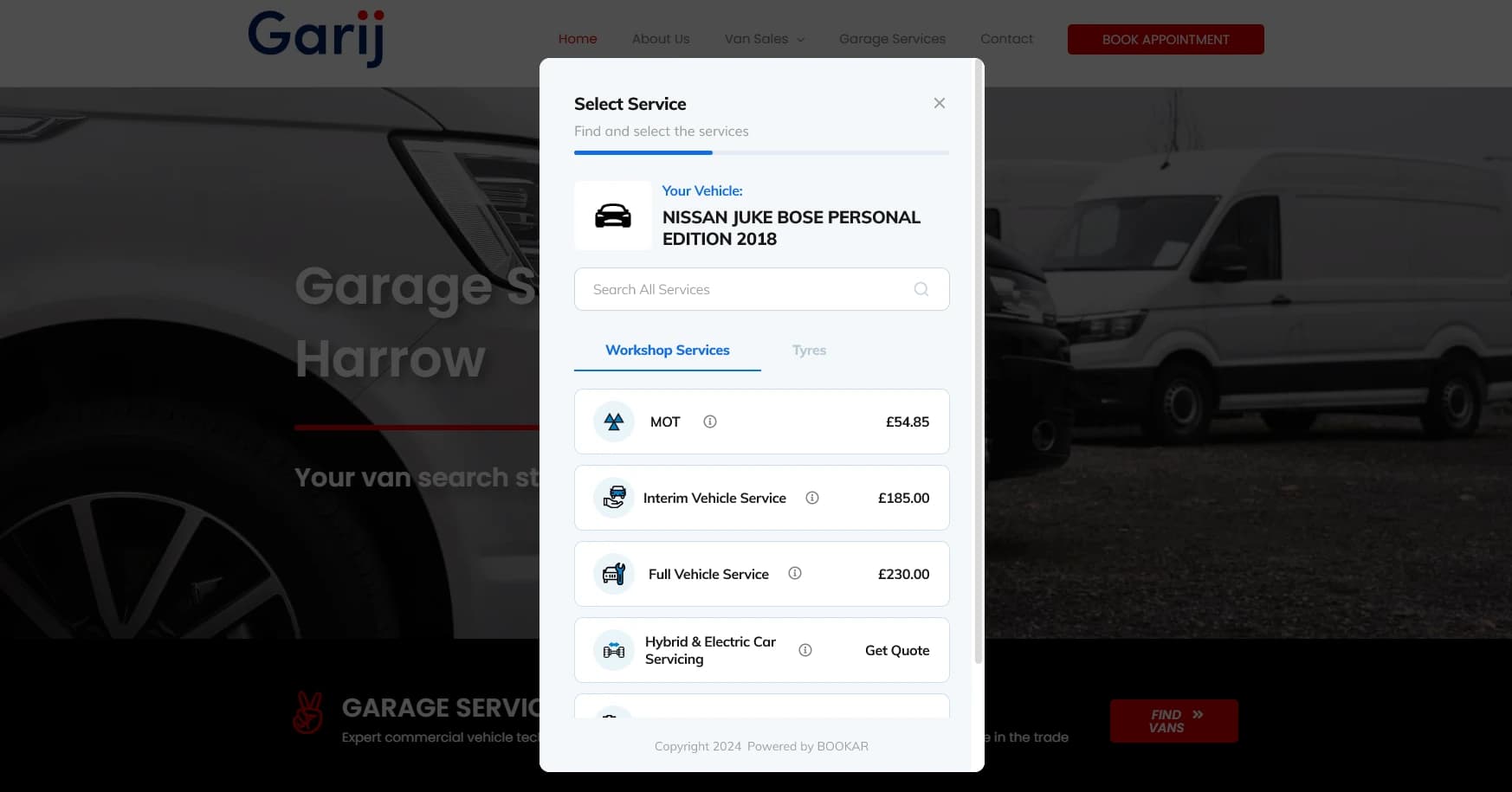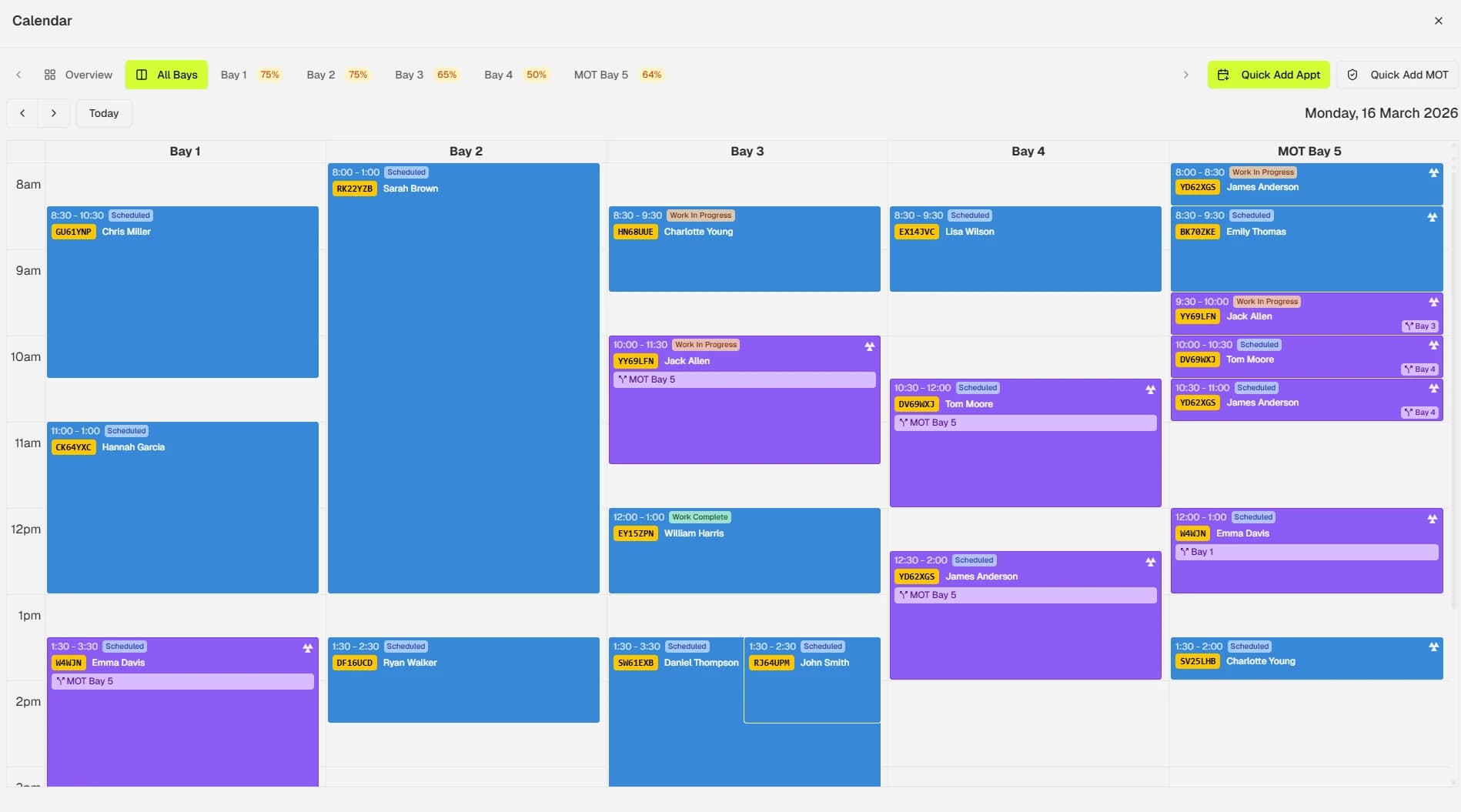

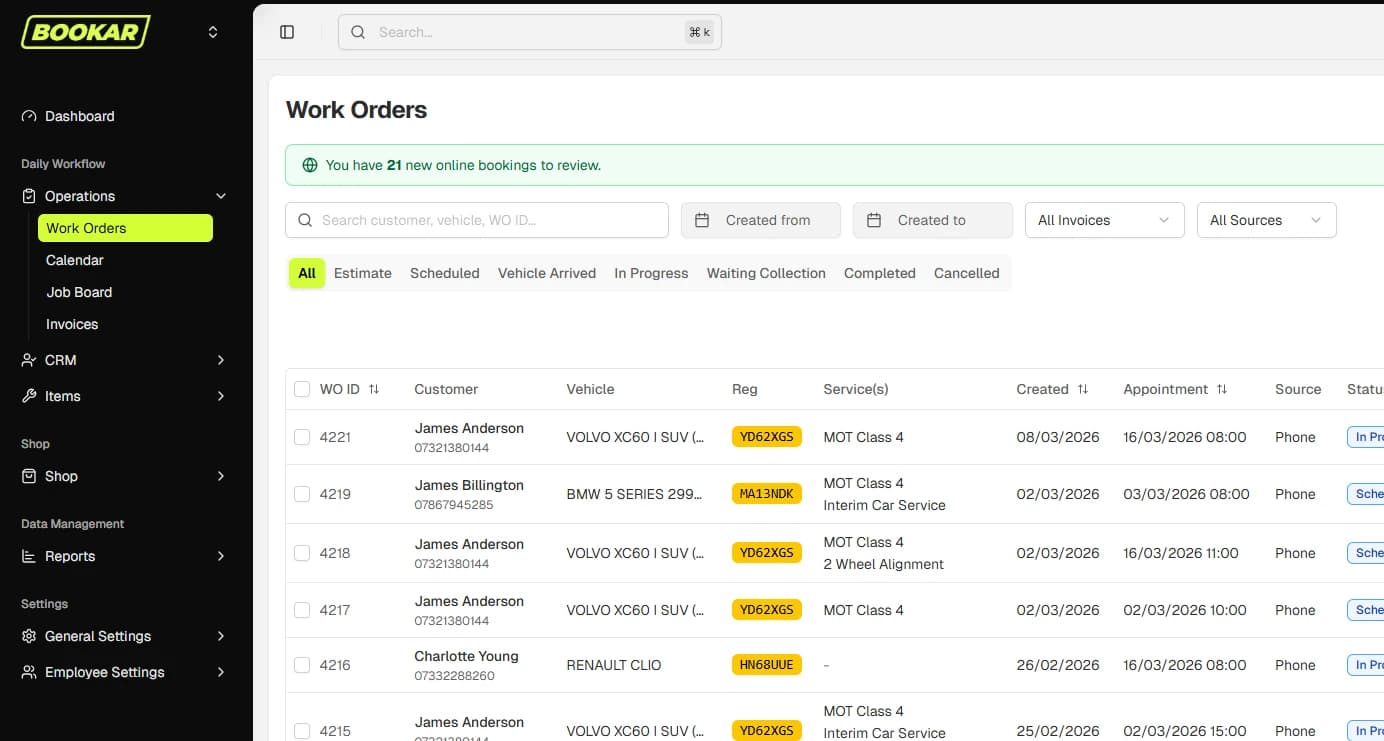
If you run a garage, you already have a management system. It might be a paper diary, a whiteboard, a carbon-copy invoice pad and a spreadsheet someone set up years ago. Garage management software is simply all of that, in one place, on a screen — with the boring bits done for you.
What garage management software actually is
Garage management software (often shortened to GMS, or called a garage management system) is a single application that runs the day-to-day of a vehicle repair workshop. Bookings go in one end, invoices and paid jobs come out the other, and everything in between — job cards, parts, authorisations, customer messages — lives in the same system.
The point is not any single feature. It is that the booking, the job card, the invoice and the customer record are all the same record, so nothing has to be written twice and nothing falls down the gap between two systems.
What it replaces
Most garages that move to a GMS are replacing some mix of the following:
- The diary — paper or a shared calendar — for bookings and ramp allocation.
- Job sheets — handwritten, clipped to the keys, occasionally lost.
- An invoicing tool — anything from a duplicate pad to a standalone accounts package that has no idea what the job was.
- A customer list — a spreadsheet, a box of cards, or the memory of whoever answers the phone.
- Reminder post-its — the MOT-due list that gets done when someone has a quiet afternoon, which is never.
None of those are broken on their own. The problem is the seams between them: the booking that never made it onto a job sheet, the invoice that missed the extra hour, the customer whose MOT reminder went to an old mobile number.
The core parts of a garage management system
Vendors bundle things differently, but a proper garage management system will cover the following. If it does not, you will end up bolting on another tool to fill the gap.
Bookings and the workshop diary
A diary that shows ramps, technicians and time — not just a list of names against dates. Bookings should come in from the phone, the front desk and the website, and land in the same diary either way.
Job cards and work orders
Each booking becomes a job. The job holds the vehicle, the requested work, the technician's notes, the parts used, the labour time and any additional work found. That last part matters: additional work is where most garages lose money, because it gets done and never billed.
Quotes, invoicing and payment
Estimates and invoices generated from the job card, not typed up separately. Increasingly this includes sending a payment link by text so the customer can pay before they arrive to collect.
Customer and vehicle records
Every vehicle's history in one place — what was done, when, by whom, what was advised and declined. This is what turns a one-off MOT into a customer who comes back for the service, the tyres and the next MOT. It is also what a garage CRM is built on.
Reminders and customer communication
Automatic MOT and service reminders by text and email, booking confirmations, and two-way messaging so “your car is ready” does not need a phone call.
Vehicle health checks
A digital VHC with photos, sent to the customer for authorisation. Customers approve more work when they can see the worn brake pad themselves.
Parts, stock and suppliers
Parts on the job card, stock levels, and ideally direct ordering from tyre and parts suppliers without leaving the system.
Reporting
Sales, labour hours booked versus sold, technician productivity, outstanding invoices. Not dashboards for the sake of it — the handful of numbers that tell you whether the month is going well before the month is over.
Who it is for
There is a persistent idea that garage management software is for big franchised dealers. It is not. The garages that benefit most are independents with one to four ramps, because those are the businesses where the owner is also the service advisor, the parts buyer and the person chasing invoices at 7pm.
At the other end, multi-site garages need it for a different reason: consistency. The same process, the same pricing and the same customer record across every branch.
What it costs
Modern garage software is sold as a monthly subscription rather than a large up-front licence. What varies is how that subscription is structured, and it pays to read the small print:
- Per-user pricing can double the bill as soon as you want your technicians logging their own time.
- Add-on modules — online booking, text messaging, VHC — are often quoted separately and add up quickly.
- Contract length. Twelve-month minimums are common. Rolling monthly is better for you.
- Setup and data migration. Ask what it costs to bring your existing customer and vehicle data across.
We publish BOOKAR's pricing in full for exactly this reason. Whichever system you look at, ask for the total monthly figure for your garage, with everything you actually need switched on.
Signs you have outgrown the diary
You probably do not need to be told, but for the record:
- Someone has double-booked a ramp in the last month.
- You have found work that was done but never invoiced.
- Customers ring to ask whether their car is ready.
- MOT reminders go out “when there is time”.
- Only one person really knows how the diary works.
- You cannot say, today, how many hours the workshop sold last week.
Two or more of those and the manual setup is already costing you more than software would. We put numbers on that in Paper diary vs garage management software.
Choosing one
The market has plenty of options, and most demos look good. The differences show up in the details — whether it runs on a tablet in the workshop, whether online booking is part of it or a bolt-on, what happens to your data if you leave. We have written a checklist: 12 questions to ask before you sign.
See what a modern garage management system looks like
BOOKAR runs bookings, the workshop, invoicing and customer communication in one place. Book a 30-minute demo.