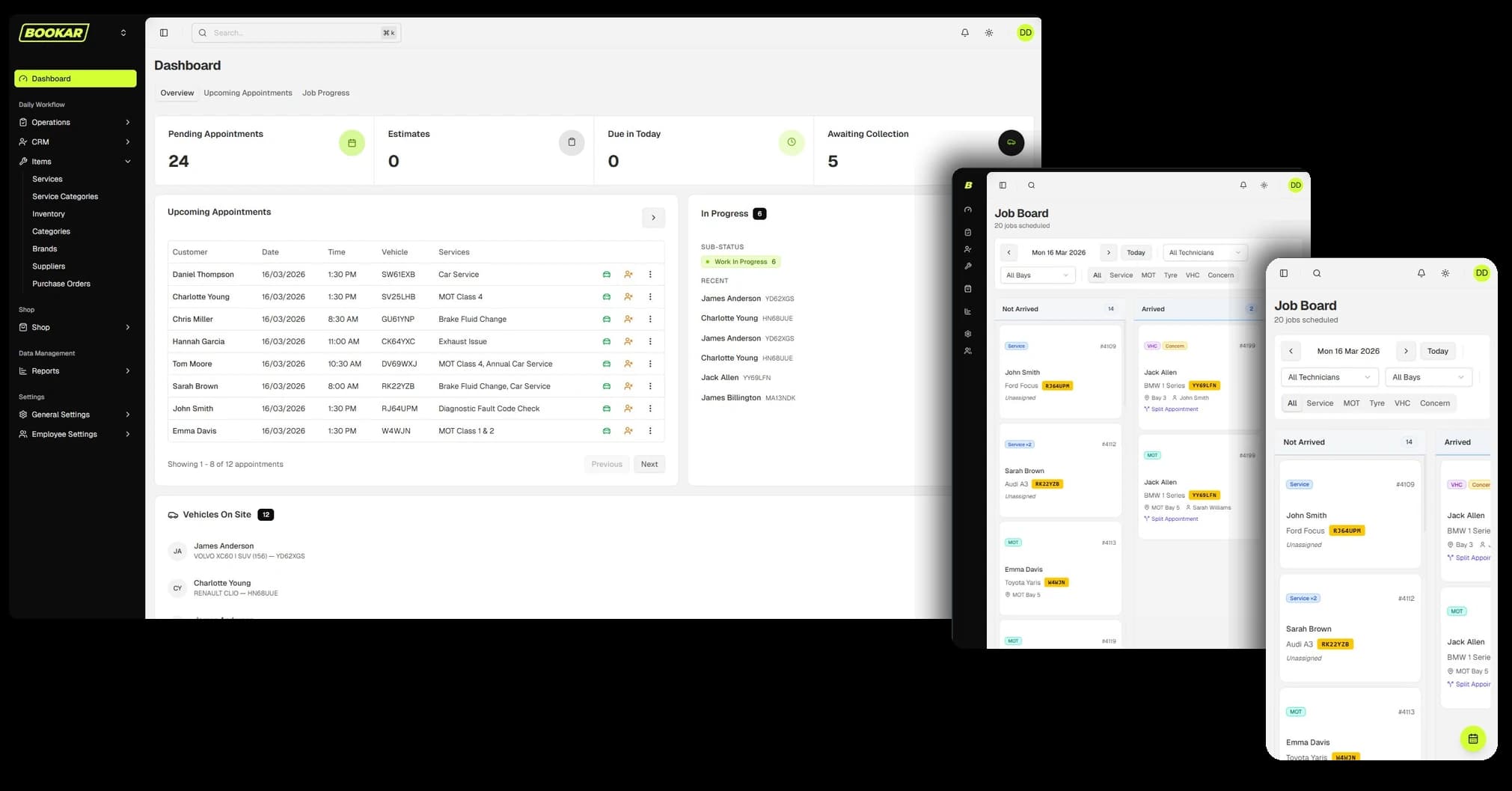
At 8am the diary is a good plan. By 10am it is a work of fiction. The brake job on Bay 2 has found a seized caliper, the 9:00 MOT arrived at 8:40 and went straight in, and the 11:00 customer is in reception asking whether they can wait. The diary still shows all of it exactly as it was booked, so the front desk walks into the workshop to find out what is really happening. Then does it again twenty minutes later.
A dynamic diary fixes that by drawing today as the workshop is actually running, not as it was booked. This post explains what that means, what it should and should not do, and how to get the most out of one.
Why a normal diary goes stale
Whether it is paper, a spreadsheet or most garage software, a diary records bookings. It does not record work. Nothing on it changes when a job overruns, finishes early or starts before it was meant to. That causes four everyday problems:
- Every “when will it be ready?” becomes a trip to the workshop. The answer is in a technician's head, not on the screen.
- Knock-on lateness is invisible. A 90-minute overrun at 9am makes the 2pm car late, but nobody finds out until the 2pm customer turns up to collect it.
- Freed-up time is wasted. A service that took 40 minutes instead of an hour leaves a gap that nobody sees, so nobody fills it.
- The front desk and the workshop see different days. One is looking at the plan, the other is living the reality.
We covered the cost of working from a paper diary in paper diary vs garage management software. A dynamic diary goes a step further than a digital one: it keeps the picture of today up to date by itself.
What a dynamic diary does
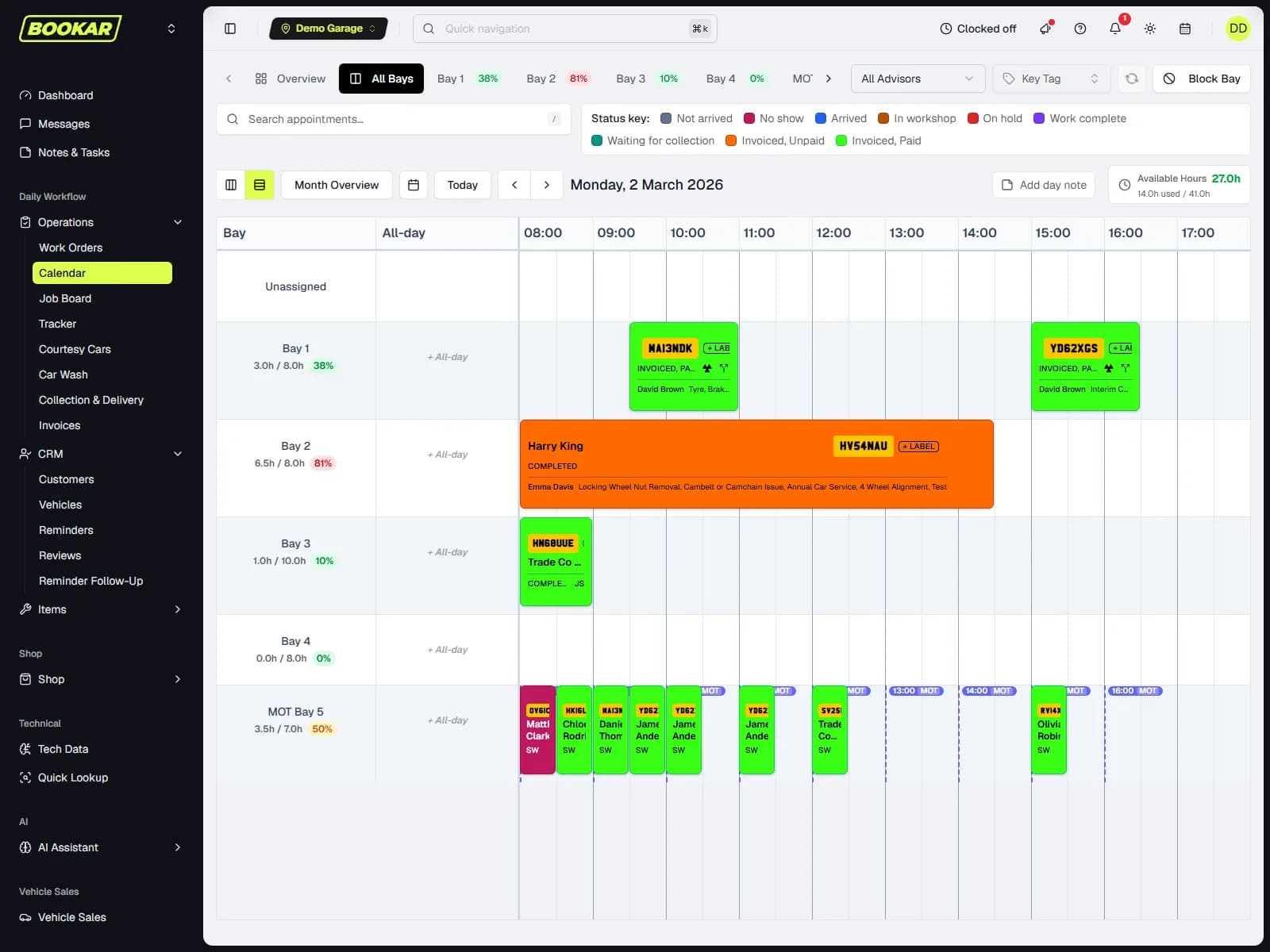
It redraws today from what the workshop is actually doing. In BOOKAR that comes from the job timers technicians already start and stop on the Job Board, so there is nothing extra for anyone to update. Once it is switched on:
- A job started early is drawn from when it really began, not from its booked time.
- An overrun stretches the card with the clock and pushes the jobs booked behind it along the same bay, so you can see the 2pm car is now a 3:30pm car.
- A finished job shrinks to the time it actually took, and the rest of its slot is given back.
- The next car moves up into that freed time only if it is on site. A car that has not arrived yet is never drawn starting before its booked time.
- A car started on an earlier day and not finished is carried onto today, so yesterday's unfinished clutch is not lost off the screen.
- Each card's booked time stays visible as a dashed outline behind it, so you can see how far the day has drifted from the plan.
Work that has stopped for something outside the bay, such as waiting for parts or for the customer's authorisation, keeps its planned length rather than stretching as if someone were still working on it. And a card that no longer fits before closing is flagged rather than quietly pushed into tomorrow.
What it should not do
The important design choice is that a dynamic diary changes what is drawn, not what is booked. In BOOKAR nothing is re-booked automatically:
- The customer's booking time stays as it was, along with their reminders and the times your online booking offers. A cambelt overrunning on Bay 2 should not send a text to the customer on Bay 4.
- A card never moves to another bay or another day on its own. Moving work between bays is still a decision someone makes, by dragging the card.
- If you drag a card the diary has moved, it saves where you dropped it at its booked length. What you see is what is saved.
That is deliberate. Software is good at showing you the knock-on effect of a seized caliper. Deciding whether to ring the 2pm customer, move their car to Bay 3 or offer a courtesy car is a job for a person.
One diary for the whole business
If the front desk sees a re-planned day and the workshop manager sees the booked one, you are back to two versions of the truth. So in BOOKAR the Dynamic diary is one setting for the whole business, and only the business owner can switch it on or off, from the gear on the diary that opens Diary settings. Personal preferences like the diary layout and card colours stay personal.
How to use it at the front desk
- Answer “when will it be ready?” from the screen. The card shows where the job really is, not where it was meant to be.
- Ring ahead before the customer arrives. If the 2pm card has been pushed to 3:30pm, call them at 11am, not at 2pm when they are standing at the counter.
- Fill the gaps. When a job finishes early and nothing on site can move up, that is the moment to pull in a waiting car or ring the customer who wanted an earlier slot.
- Rebalance bays by hand. If one bay is running two hours behind and another is quiet, drag the next job across.
- Start early when you can. Starting a job that is booked for a later day asks whether to move its booking to now, keeping its length and its bay.
The rest of the diary still matters
A dynamic view of today sits on top of an ordinary diary, and that still has to be good at the basics. In BOOKAR:
- Bays know what work they take. Name the work a specialist bay does, such as diagnostics or alignment, and only that work stays on it. The rest of the work order goes to a general bay and technician.
- The date picker shows how busy each day is. Days are shaded green under half full, amber from half and red from 90%, so you can find a free day without paging through the diary.
- Absences are on the diary. While a bay's technician is off, the lane is shaded with their name and those hours come off the bay's available hours.
- There is an Unassigned row. Drag a job there to take it off any bay and technician until someone picks it up, rather than parking it on whoever is free.
Is it right for your garage?
If you run one bay on your own, you already know where the day is. A dynamic diary earns its place in a garage with several bays, a mix of short and long jobs, and a front desk that is not standing next to the ramps. That is where the gap between the plan and the reality causes most of the phone calls, the late collections and the empty hours.
Because it only changes what is drawn, it is also low risk to try. Switch it on for a week, check the cards against what you see in the workshop, and switch it off if it does not help. Your bookings are exactly where you left them.
A diary that keeps up with the workshop
BOOKAR's diary, Job Board and job timers work from the same record, so today's picture stays true. See how the garage management system fits together.