A leased car comes in for its service. While it is on the ramp the driver asks for new wiper blades, which the lease does not cover, and the technician finds a gearbox fault the warranty company has agreed to pay for. One car, one visit, three payers. Put all of it on one invoice to the fleet and it comes back queried. Raise three separate jobs and the car's history is split three ways and the workshop is working off three job cards. Neither is right.
Why mixed-payer jobs get paid late
Account work is rarely paid late because the customer is short of money. It is paid late because the invoice gives someone a reason to put it to one side:
- It includes something the fleet did not authorise, so the whole invoice is queried rather than the one line.
- It has no purchase order number, so the fleet's accounts team cannot match it and it sits in a pile.
- It went to the driver instead of the leasing company or the head office.
- The warranty company needs its own invoice for its own claim, and got a copy of the fleet's instead.
- A payment came in and nobody is sure which invoice it was for.
Every one of these is a process problem, which means every one of them can be fixed before the invoice is written.
Agree who pays for what before the work starts
The split is easiest to get right at the desk, not at the end of the day. When a fleet or warranty job is booked in, find out:
- What the account covers — service only, service and wear items, or an authorisation limit above which they want a call.
- The purchase order or authority number, and whether they need one per job.
- Where the invoice goes — the driver, the leasing company, a head office or a fleet manager's inbox.
- Who pays for anything outside that. Usually the driver, before they drive away.
Write it on the job. The technician who finds a worn tyre on a fleet car needs to know whether to ring the fleet, ask the driver, or both.
One job, one invoice per payer
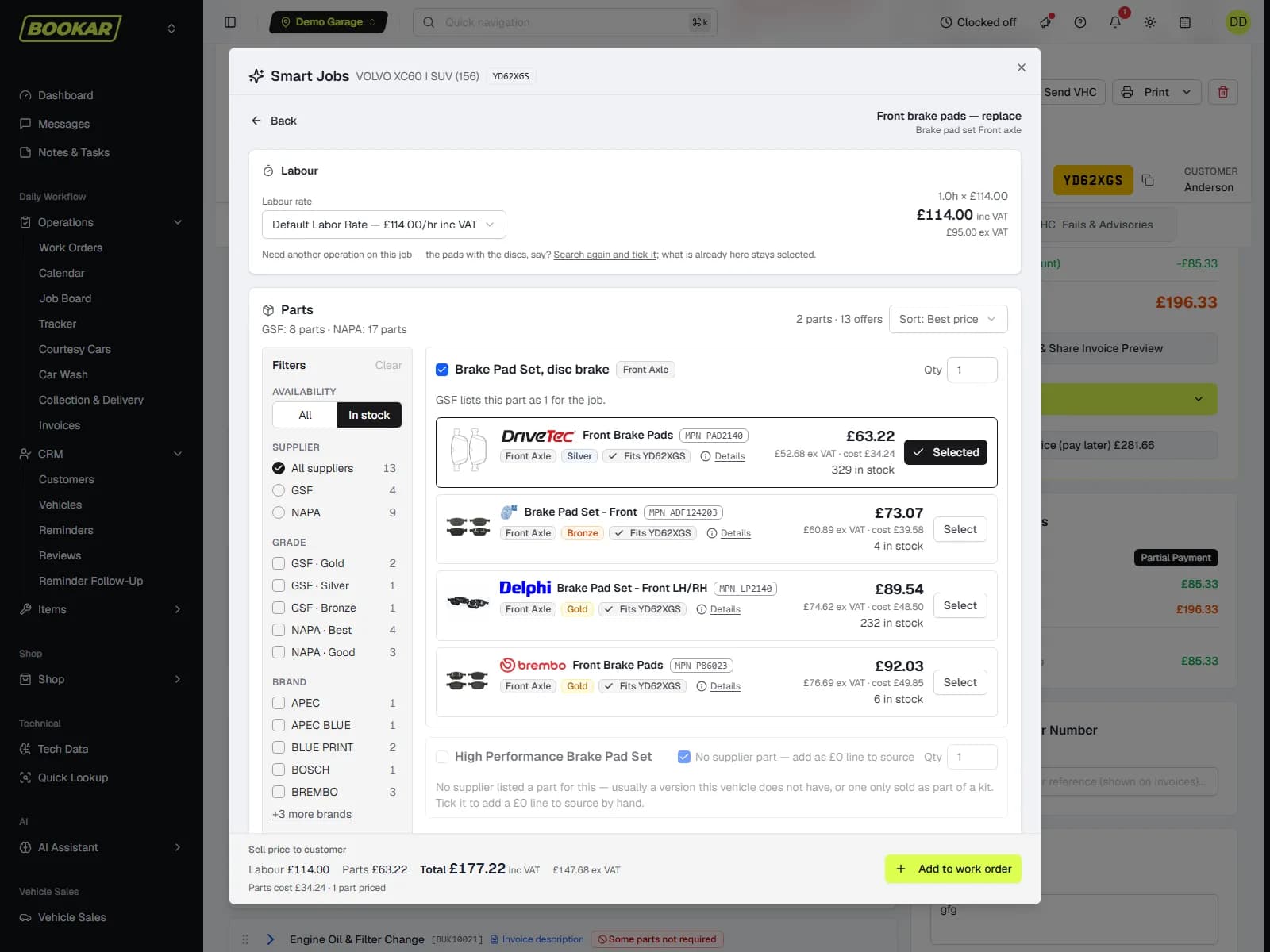
The clean way to bill a mixed job is one work order and a separate invoice for each payer. The car's history stays in one place, the workshop works from one job card, and each payer receives only what they are paying for.
In BOOKAR you tick the items one payer covers, choose that account under Bill to and invoice, then do the same for the rest. The fleet pays for the service, the driver for the wipers, the warranty company for the gearbox. Each invoice carries its own PO and goes on its own account, and money paid only settles that payer's invoices — so a driver paying for their wipers at the counter never reduces what the fleet owes.
Make the PO number impossible to forget
Fleet accounts teams match invoices to purchase orders. An invoice without one is not wrong, it is just unmatched, and unmatched invoices are the ones that age. Two habits fix it:
- Flag the customers who need one. In BOOKAR, ticking PO number required on a customer means invoicing a work order with no PO asks for one first. You can still invoice without it, but nobody does it by accident.
- Put it where they look. The customer's PO prints in bold as PO Number under the invoice number — on the invoice, its PDF and email, and the Invoice Preview.
For the occasional invoice that has to go to a leasing company or a head office rather than the driver, a work order can carry its own billing address. Its invoices go there, and the customer's own record stays as it is.
Charge each account its agreed rates, everywhere
Fleet and trade customers usually have a price agreement: a labour rate, a parts rate, a fixed price for a service. The agreement is only worth having if it is applied without someone having to remember it. In BOOKAR a trade or fleet customer's agreed rates apply however the work is added, including repair times and scheduled maintenance, and an agreement entered at one branch applies at all of them. Parts Margin Tiers can carry Trade and Fleet rates beside Retail, and rate cards can be limited to the customer groups they are meant for, so the retail card is not picked for a fleet car by mistake.
Fleet accounts are often just a company, too. A customer can be added with a company name and no named contact, so the account is the company — not whichever driver happened to bring the first car in.
Check the credit limit while the job is built
The worst time to find out an account is over its limit is with the driver standing at the counter waiting for their keys. BOOKAR flags a trade or fleet account that is close to, or over, its limit on the work order as items are added, showing what is left and where the rest of the balance is. A manager can release a job held back by the credit limit with their own override code, without logging anyone out.
The account's balance covers every location, so a fleet that books into whichever branch is nearest has its limit measured against everything it owes, not one site's share. If you run more than one site, that matters more than it sounds — see multi-garage software.
Chase invoices, not balances
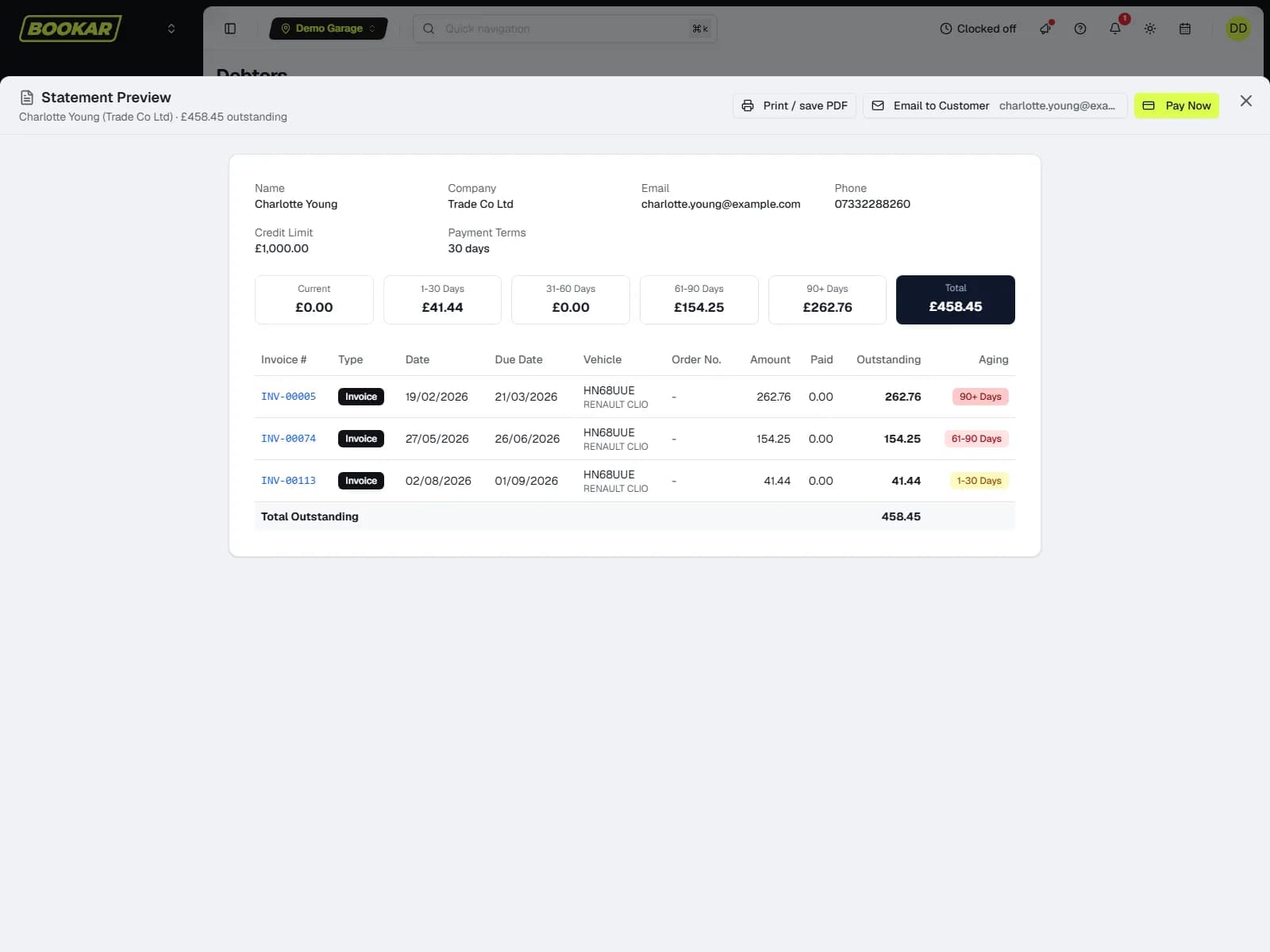
“You owe us £2,400” starts an argument. “These two invoices are past 60 days, and here are the copies” gets paid. Your aged debtors list should take you from a balance to the invoices behind it in one click.
In BOOKAR, Accounts → Debtors shows each account's aged buckets beside its credit limit, payment terms and On Stop flag. A row opens to list its invoices under each period, and each row has a statement you can preview, print, email, or send with a Pay Now link. Rows are named after the account rather than the contact on one of its bookings, so a fleet account reads as the fleet, not as one of its drivers.
On the accounts side, Xero lines can be tagged by customer group — Retail, Trade and Fleet — and each payment method can post to its own Xero account, which helps if you factor your account invoices. QuickBooks Online is a live connection in the same way.
A checklist for every account customer
- Company name, billing address and the email address invoices go to.
- Payment terms and a credit limit, agreed in writing.
- Whether they need a PO on every invoice — and the PO required flag set if they do.
- Their agreed rates, set once and applied at every branch.
- What the account covers, and who pays for anything else.
- A named contact for authorising extra work, and how quickly they answer.
Mixed-payer jobs are a normal part of fleet and warranty work. They only become a problem when the system can do one invoice per job and nothing else. If you are comparing garage management systems, ask to see a single job invoiced to two accounts — it tells you a lot about how the system was built.
One job, as many invoices as it has payers
Split bills, PO numbers, credit limits and aged debt with the invoices behind it — all in BOOKAR's invoicing and accounts.